It is very easy to rate and review a
program on Softonic. We really appreciate your feedback, as it helps
other users to get the best of our site and it gives us the boost to improve.
You will need to be a registered user in order to rate or review a program. If you are not already registered, you can do it here for free.
Once you are logged in just go to the program review and click below the stars in order to leave your rate:
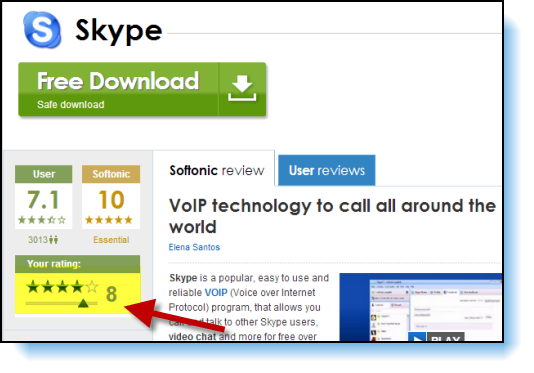
After leaving your rate you will be able to review the program:
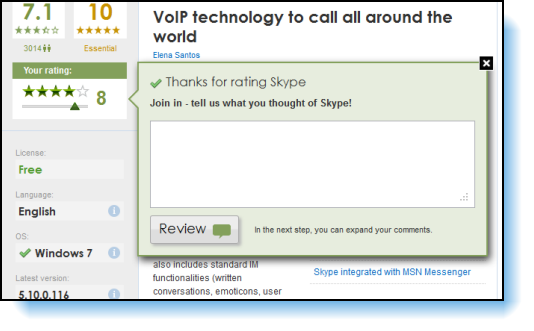
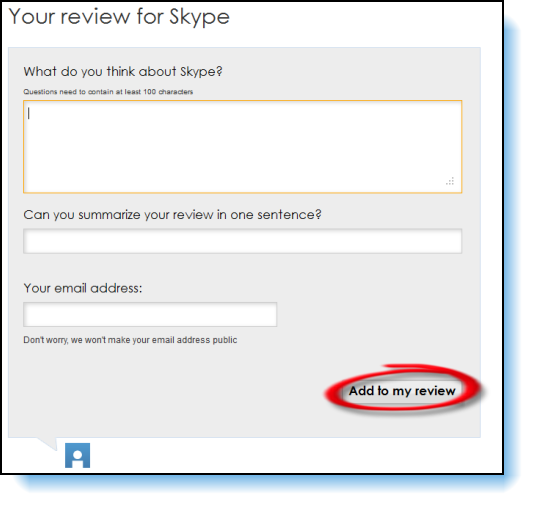
Please click on "Review" in order to complete it. Finally, click on "Add to my review".
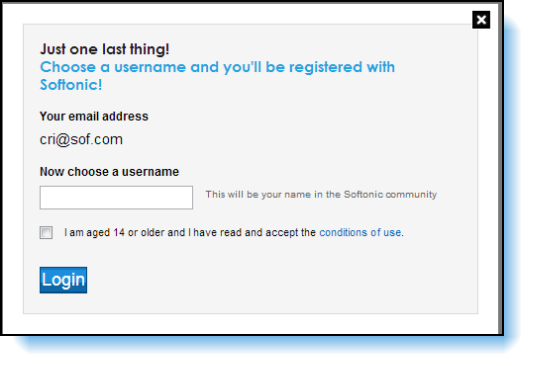
If you are not a registered user you can join us for free now:
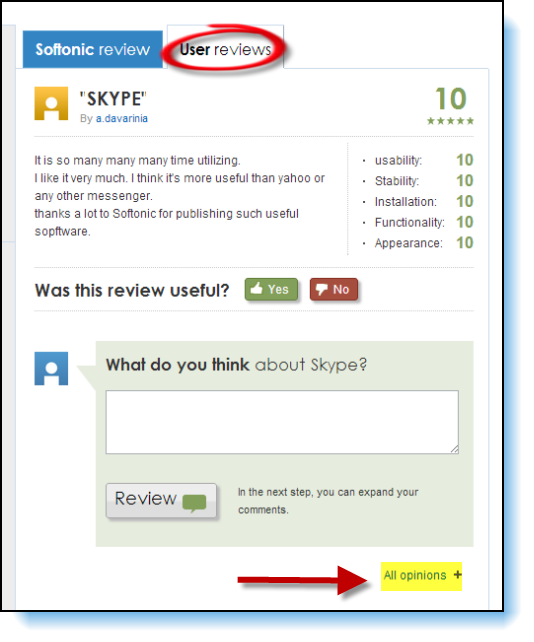
You can also review a program by clicking on "User reviews". If you want to know what other users think about this program just click on "All opinions" and you'll see everything that our users have been saying about it.
Please
bear in mind that once your review is published all users will be able
to read it. If you have technical questions about a program we recommend
you to post a comment at Softonic Answers.
Please do not forget that there are some etiquette rules that must be followed:
-
Be respectful when sharing your views. Inappropriate language will not be accepted and if detected the review will be deleted.
-
Please write your opinion as understandable as possible. Avoid abbreviations and writing in capital letters.
-
Some degree of spelling correctness is desired.
-
Advertising products in your review is forbidden. We will automatically delete any comments containing ads. However, feel free to recommend other Softonic programs to our users if you think it’s relevant.
